








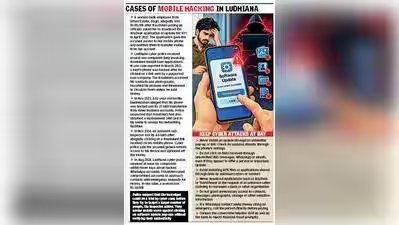
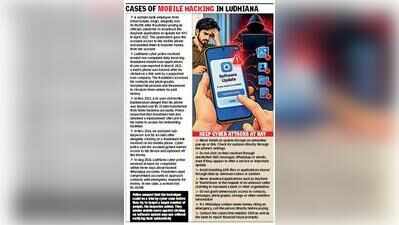
Ludhiana: If you are about to click that software update notification on your phone, wait. It could turn out to be a cyber trap and its not just your money at risk, its also your data. Make no mistake, loss of data has implications every bit as grave as loss of money.Several residents of Ludhiana have reportedly lost all data stored on their handsets after clicking on suspicious pop-ups.Cyber crime officials said a few such cases had recently been reported in the city. While no monetary loss had been reported so far, affected users found their mobile phones dysfunctional and had to reset them, resulting in loss of their stored data.Cyber experts suspect that fraudsters could be using the technique to collect personal information to execute financial frauds later. They have also not ruled out the possibility that cyber criminals are testing a new method of hacking before deploying it on a larger scale.Inspector Satvir Singh, SHO of the Cyber Crime Police Station, said people had reported receiving software update notifications on their mobile screens. Their phones stopped functioning after they clicked on the notifications to allow the updates.“Their handsets started blinking. If they tried to open an application, the mobile would automatically return to the home screen. Basically, the mobile phone would not function. Those affected had to get their phones reset, due to which they lost all the stored data. Though no monetary loss has been reported in any of the cases so far, the possibility of them losing money or their banking credentials being compromised in future cannot be ruled out,” he said.Police also suspect that the technique could be a trial by cyber criminals before they attempt to target a larger number of people, the inspector added.Singh advised mobile users against clicking on software update pop-ups without verifying their authenticity. Instead, they should go to their phone settings and check whether an update notification is available there.“If the settings section does not show a software update, the pop-up is suspicious. Users should proceed with an update only if the notification is also reflected in the phone settings,” he said.The official said the cyber police had also tried using M-Kavach2, a govt-developed mobile security application, on the affected devices to detect malware, but it failed to identify anything.BOX 1: Cases of mobile hacking in Ludhiana–A woman bank employee from Urban Estate, Dugri, allegedly lost Rs 98,000 after fraudsters posing as officials asked her to download the AnyDesk application to update her KYC in April 2022. The application gave the accused access to her mobile phone and enabled them to transfer money from her account–Ludhiana cyber police received around one complaint daily involving fraudulent instant loan applications. In one case reported in March 2022, a man’s phone was hacked after he clicked on a link sent by a purported loan company. The fraudsters accessed his contacts and photographs, morphed his pictures and threatened to circulate them unless he paid money.–In Nov 2023, a 61-year-old textile businessman alleged that his phone was hacked and Rs 35 lakh transferred from three business accounts. Police suspected that fraudsters had also obtained a replacement SIM card in his name to access his netbanking facilities-In Nov 2024, an assistant sub-inspector lost Rs 4.6 lakh after allegedly clicking on a fraudulent link received on his mobile phone. Cyber police said the accused gained remote access to his device and siphoned off the money–In Aug 2024, Ludhiana cyber police received at least six complaints within three days about hacked WhatsApp accounts. Fraudsters used compromised accounts to approach contacts with emergency requests for money. In one case, a woman lost Rs 10,000Box: How to protect your mobile phone from cyber attacks–Never install an update through an unfamiliar pop-up or link. Check for updates directly through the phone’s settings–Do not click on links received through unsolicited SMS messages, WhatsApp or emails, even if they appear to offer a service or important update–Avoid installing APK files or applications shared through links by unknown callers or senders–Never download applications such as AnyDesk or TeamViewer at the request of an unknown caller claiming to represent a bank or other organisation–Do not grant unnecessary access to contacts, messages, photographs, storage or other sensitive information–If a WhatsApp contact seeks money citing an emergency, call the person directly before making a payment–Contact the cybercrime helpline 1930 and report financial fraud promptly. Also inform your bank if banking credentials or accounts may have been compromised